

Background
As an IT Geek, I like to test stuff at home… adding multiple apps during my spare time is sadly funny for me….
Having access from the outside for example when going to work (because I want to be sure my new toy is useful for me -:) ) is sometime necessary.
Some apps are OIDC or SAML compliant and some are not… having a centralized authentication server is mandatory for me (as an IT Guy…).
As my homelab is only composed of a single synology NAS (a DS1520+) resource consumption is something to take in consideration.
At first I gave a try with Authelia which is great once you passed the configuration step but lack of functionality. You can use OIDC for supported applications, it have MFA support and can be connected to Cisco DUO. The memory footprint is ridiculous (30MB of RAM in my memories), for my use case it fits completely.
One of the drawback is like old identity provider (like shibboleth for example); as it is yaml config based, each time you add an application you need to restart and be sure that you don’t have configuration errors. Proxying non oidc native applications is still possible using third party apps (Nginx Proxy Manager, Traefik…) but lack of credential injection. Accounts have to be stored on a file db or an ldap server (ok I have ldap on synology…).
The main advantages of Authentik :
- More agile in the development cycle
- Built in account management
- Proxy mode
- LDAP and Radius Endpoint
- Look and Feel
- Customization
Looking at the system prerequisites found on Authentik documentation, it seems that this will not fit on my NAS…
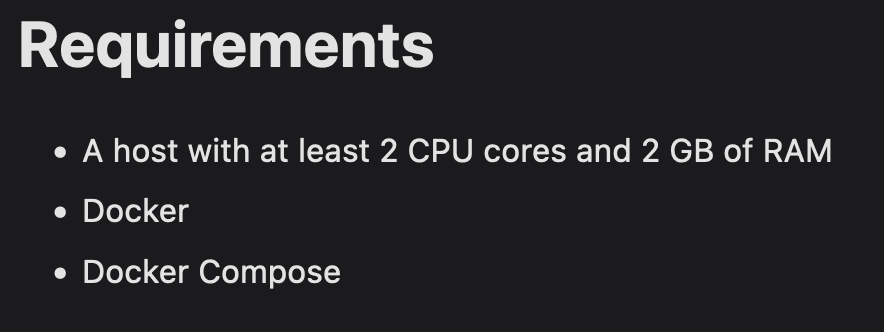 In the doubt I wanted to give it a try as we are not going to be a lot if users… maybe it will not consume that much.
Authentik deployment
Looking at the documentation of the deployment using docker-compose the docker-compose look like this:
 1---
 2version: "3.4"
 3
 4services:
 5  postgresql:
 6    image: docker.io/library/postgres:12-alpine
 7    restart: unless-stopped
 8    healthcheck:
 9      test: ["CMD-SHELL", "pg_isready -d $${POSTGRES_DB} -U $${POSTGRES_USER}"]
10      start_period: 20s
11      interval: 30s
12      retries: 5
13      timeout: 5s
14    volumes:
15      - database:/var/lib/postgresql/data
16    environment:
17      POSTGRES_PASSWORD: ${PG_PASS:?database password required}
18      POSTGRES_USER: ${PG_USER:-authentik}
19      POSTGRES_DB: ${PG_DB:-authentik}
20    env_file:
21      - .env
22  redis:
23    image: docker.io/library/redis:alpine
24    command: --save 60 1 --loglevel warning
25    restart: unless-stopped
26    healthcheck:
27      test: ["CMD-SHELL", "redis-cli ping | grep PONG"]
28      start_period: 20s
29      interval: 30s
30      retries: 5
31      timeout: 3s
32    volumes:
33      - redis:/data
34  server:
35    image: ${AUTHENTIK_IMAGE:-ghcr.io/goauthentik/server}:${AUTHENTIK_TAG:-2023.5.1}
36    restart: unless-stopped
37    command: server
38    environment:
39      AUTHENTIK_REDIS__HOST: redis
40      AUTHENTIK_POSTGRESQL__HOST: postgresql
41      AUTHENTIK_POSTGRESQL__USER: ${PG_USER:-authentik}
42      AUTHENTIK_POSTGRESQL__NAME: ${PG_DB:-authentik}
43      AUTHENTIK_POSTGRESQL__PASSWORD: ${PG_PASS}
44    volumes:
45      - ./media:/media
46      - ./custom-templates:/templates
47    env_file:
48      - .env
49    ports:
50      - "${COMPOSE_PORT_HTTP:-9000}:9000"
51      - "${COMPOSE_PORT_HTTPS:-9443}:9443"
52  worker:
53    image: ${AUTHENTIK_IMAGE:-ghcr.io/goauthentik/server}:${AUTHENTIK_TAG:-2023.5.1}
54    restart: unless-stopped
55    command: worker
56    environment:
57      AUTHENTIK_REDIS__HOST: redis
58      AUTHENTIK_POSTGRESQL__HOST: postgresql
59      AUTHENTIK_POSTGRESQL__USER: ${PG_USER:-authentik}
60      AUTHENTIK_POSTGRESQL__NAME: ${PG_DB:-authentik}
61      AUTHENTIK_POSTGRESQL__PASSWORD: ${PG_PASS}
62    # `user: root` and the docker socket volume are optional.
63    # See more for the docker socket integration here:
64    # https://goauthentik.io/docs/outposts/integrations/docker
65    # Removing `user: root` also prevents the worker from fixing the permissions
66    # on the mounted folders, so when removing this make sure the folders have the correct UID/GID
67    # (1000:1000 by default)
68    user: root
69    volumes:
70      - /var/run/docker.sock:/var/run/docker.sock
71      - ./media:/media
72      - ./certs:/certs
73      - ./custom-templates:/templates
74    env_file:
75      - .env
76
77volumes:
78  database:
79    driver: local
80  redis:
81    driver: local
We are going to customize it a little bit to fit our needs on a Synology NAS (note that I use portainer to schedule container stack).
Basically I have a dedicated share on my NAS where I store all the data of my containers. This is mostly due to backup concern and make it more easy to maintain (edit various config files without having to enter in the container).
So lets say that my root directory on my nas is /volumes1/docker/authentik
1mkdir -p /volumes1/docker/authentik/{database,redis}
2mkdir -p /volumes1/docker/authentik/app/{media,certs,custom-templates}
And now update the docker-compose.yaml like this:
 1---
 2version: "3.4"
 3
 4services:
 5  postgresql:
 6    image: docker.io/library/postgres:12-alpine
 7    restart: unless-stopped
 8    healthcheck:
 9      test: ["CMD-SHELL", "pg_isready -d $${POSTGRES_DB} -U $${POSTGRES_USER}"]
10      start_period: 20s
11      interval: 30s
12      retries: 5
13      timeout: 5s
14    volumes:
15      -  /volumes1/docker/authentik/database:/var/lib/postgresql/data
16    environment:
17      POSTGRES_PASSWORD: ${PG_PASS:?database password required}
18      POSTGRES_USER: ${PG_USER:-authentik}
19      POSTGRES_DB: ${PG_DB:-authentik}
20    env_file:
21      - .env
22  redis:
23    image: docker.io/library/redis:alpine
24    command: --save 60 1 --loglevel warning
25    restart: unless-stopped
26    healthcheck:
27      test: ["CMD-SHELL", "redis-cli ping | grep PONG"]
28      start_period: 20s
29      interval: 30s
30      retries: 5
31      timeout: 3s
32    volumes:
33      -  /volumes1/docker/authentik/redis:/data
34  server:
35    image: ${AUTHENTIK_IMAGE:-ghcr.io/goauthentik/server}:${AUTHENTIK_TAG:-2023.5.1}
36    restart: unless-stopped
37    command: server
38    environment:
39      AUTHENTIK_REDIS__HOST: redis
40      AUTHENTIK_POSTGRESQL__HOST: postgresql
41      AUTHENTIK_POSTGRESQL__USER: ${PG_USER:-authentik}
42      AUTHENTIK_POSTGRESQL__NAME: ${PG_DB:-authentik}
43      AUTHENTIK_POSTGRESQL__PASSWORD: ${PG_PASS}
44    volumes:
45      - /volumes1/docker/authentik/app/media:/media
46      - /volumes1/docker/authentik/app/custom-templates:/templates
47    env_file:
48      - .env
49    ports:
50      - "${COMPOSE_PORT_HTTP:-9000}:9000"
51      - "${COMPOSE_PORT_HTTPS:-9443}:9443"
52  worker:
53    image: ${AUTHENTIK_IMAGE:-ghcr.io/goauthentik/server}:${AUTHENTIK_TAG:-2023.5.1}
54    restart: unless-stopped
55    command: worker
56    environment:
57      AUTHENTIK_REDIS__HOST: redis
58      AUTHENTIK_POSTGRESQL__HOST: postgresql
59      AUTHENTIK_POSTGRESQL__USER: ${PG_USER:-authentik}
60      AUTHENTIK_POSTGRESQL__NAME: ${PG_DB:-authentik}
61      AUTHENTIK_POSTGRESQL__PASSWORD: ${PG_PASS}
62    # `user: root` and the docker socket volume are optional.
63    # See more for the docker socket integration here:
64    # https://goauthentik.io/docs/outposts/integrations/docker
65    # Removing `user: root` also prevents the worker from fixing the permissions
66    # on the mounted folders, so when removing this make sure the folders have the correct UID/GID
67    # (1000:1000 by default)
68    user: root
69    volumes:
70      - /var/run/docker.sock:/var/run/docker.sock
71      - /volumes1/docker/authentik/app/media:/media
72      - /volumes1/docker/authentik/app/certs:/certs
73      - /volumes1/docker/authentik/app/custom-templates:/templates
74    env_file:
75      - .env
Now we need to create the .env file
 1COMPOSE_PORT_HTTP=10080 # bind port on the host for http
 2COMPOSE_PORT_HTTPS=10443 # bind port on the host for https
 3PG_PASS=<password>
 4AUTHENTIK_SECRET_KEY=<secret key>
 5AUTHENTIK_TAG=2023.5.1
 6AUTHENTIK_EMAIL__HOST=smtp-mail.outlook.com
 7AUTHENTIK_EMAIL__PORT=587
 8AUTHENTIK_EMAIL__USERNAME=TBD
 9AUTHENTIK_EMAIL__PASSWORD=TBD
10AUTHENTIK_EMAIL__USE_TLS=true
11AUTHENTIK_EMAIL__USE_SSL=false
12AUTHENTIK_EMAIL__TIMEOUT=10
13AUTHENTIK_EMAIL__FROM=TBD
For password the install documentation is well done, pwgen is very usefull. If you are not using linux, you can use a password generator.
1echo "PG_PASS=$(pwgen -s 40 1)" >> .env
2echo "AUTHENTIK_SECRET_KEY=$(pwgen -s 50 1)" >> .env
3# Because of a PostgreSQL limitation, only passwords up to 99 chars are supported
4# See https://www.postgresql.org/message-id/[email protected]
Normaly you are good to go and you should be able to start it using:
 1$ docker compose up -d
 2[+] Running 32/32
 3⠿ worker Pulled
 4⠿ postgresql Pulled
 5⠿ server Pulled
 6[+] Running 5/5
 7 ⠿ Network authentik_default         Created           0.1s
 8 ⠿ Container authentik-redis-1       Started           1.4s
 9 ⠿ Container authentik-worker-1      Started           1.4s
10 ⠿ Container authentik-postgresql-1  Started           1.1s
11 ⠿ Container authentik-server-1      Started
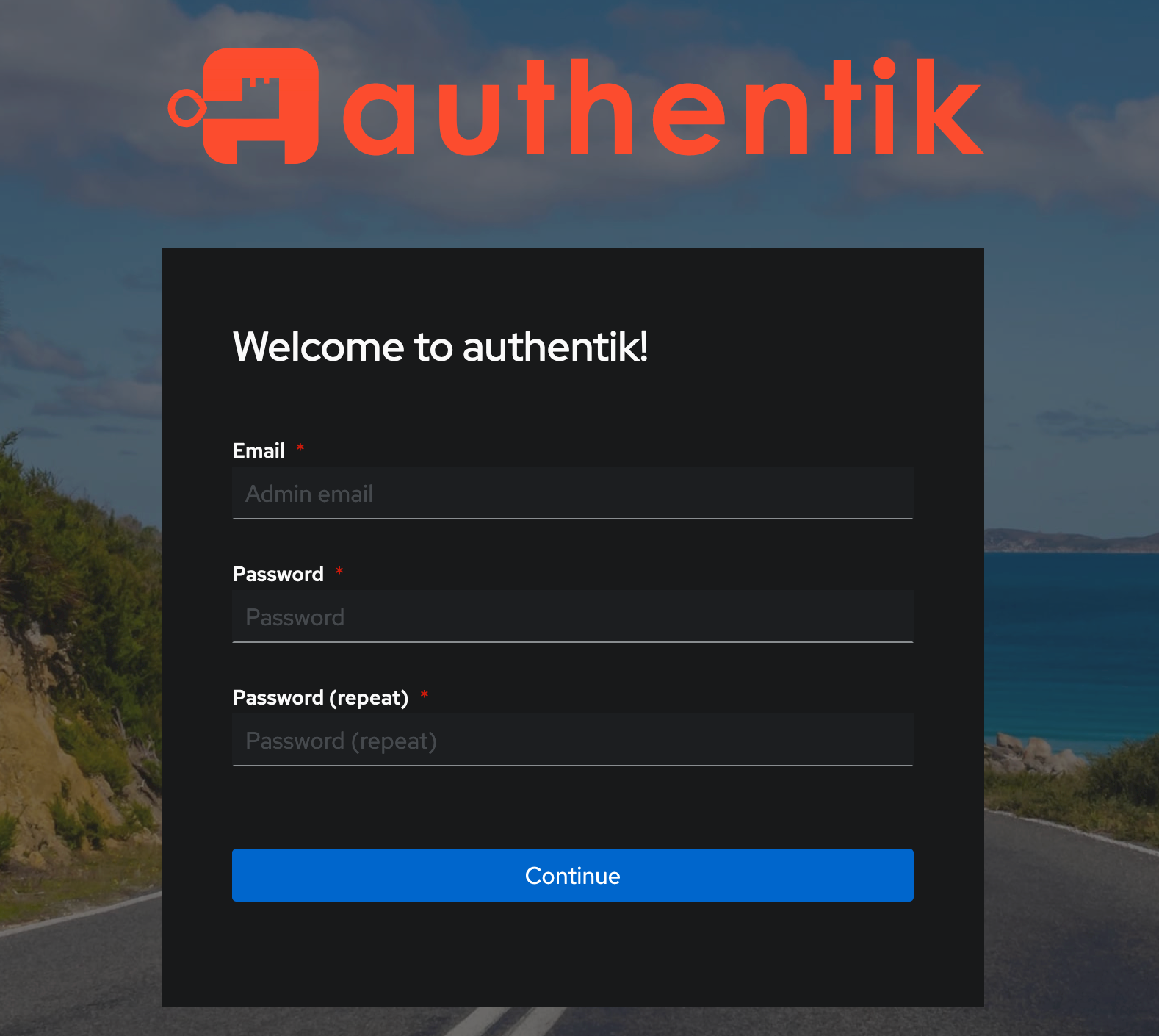
You should be able to access to the Authentik web interface https://
You might also like
 security
Configure MFA using Cisco DUO
Learn how to setup Cisco DUO MFA that you will be able to use on your homelab to secure your access
 security
Secure your OpenSSH Server using Cisco DUO
Learn how to secure an openssh server by adding Cisco DUO MFA.