

Contexte
En tant que Geek IT, j’aime tester des trucs à la maison… ajouter plein d’applis pendant mon temps libre est malheureusement une manie chez moi….
Avoir accès depuis l’extérieur, par exemple quand je vais au travail (parce que je veux être sûr que mon nouveau jouet me soit utile -:) ), est parfois nécessaire.
Certaines applis sont compatibles OIDC ou SAML, et d’autres pas… avoir un serveur d’authentification centralisé est indispensable pour moi (en tant que gars IT…).
Comme mon homelab n’est composé que d’un seul NAS Synology (un DS1520+), la consommation de ressources est un critère à prendre en compte.
Au départ j’ai essayé Authelia, qui est top une fois que tu as passé l’étape de configuration, mais qui manque de fonctionnalités. Tu peux utiliser OIDC pour les applications supportées, il gère le MFA et peut être connecté à Cisco DUO. L’empreinte mémoire est ridicule (30 Mo de RAM dans mes souvenirs), pour mon usage ça convient parfaitement.
L’un des inconvénients, c’est que comme les anciens fournisseurs d’identité (comme shibboleth par exemple), c’est basé sur une config yaml : à chaque fois que tu ajoutes une application tu dois redémarrer et t’assurer que tu n’as pas d’erreur de configuration. Proxifier des applications non nativement OIDC reste possible via des applis tierces (Nginx Proxy Manager, Traefik…) mais sans injection d’identifiants. Les comptes doivent être stockés dans un fichier db ou un serveur ldap (bon, j’ai ldap sur le synology…).
Les principaux avantages d’Authentik :
- Plus agile dans le cycle de développement
- Gestion de comptes intégrée
- Mode proxy
- Endpoint LDAP et Radius
- Look and Feel
- Personnalisation
En regardant les prérequis système trouvés dans la documentation d’Authentik, il semble que ça ne va pas rentrer sur mon NAS…
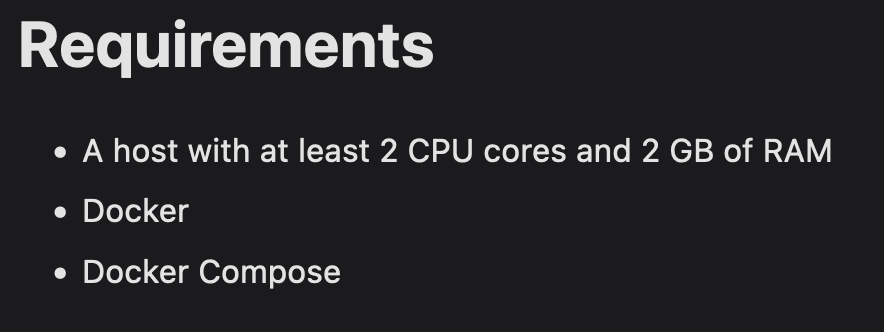 Dans le doute, je voulais quand même essayer, vu qu’on ne va pas être beaucoup d’utilisateurs… peut-être que ça ne consommera pas tant que ça.
Déploiement d’Authentik
En regardant la documentation du déploiement avec docker-compose, le docker-compose ressemble à ça :
 1---
 2version: "3.4"
 3
 4services:
 5  postgresql:
 6    image: docker.io/library/postgres:12-alpine
 7    restart: unless-stopped
 8    healthcheck:
 9      test: ["CMD-SHELL", "pg_isready -d $${POSTGRES_DB} -U $${POSTGRES_USER}"]
10      start_period: 20s
11      interval: 30s
12      retries: 5
13      timeout: 5s
14    volumes:
15      - database:/var/lib/postgresql/data
16    environment:
17      POSTGRES_PASSWORD: ${PG_PASS:?database password required}
18      POSTGRES_USER: ${PG_USER:-authentik}
19      POSTGRES_DB: ${PG_DB:-authentik}
20    env_file:
21      - .env
22  redis:
23    image: docker.io/library/redis:alpine
24    command: --save 60 1 --loglevel warning
25    restart: unless-stopped
26    healthcheck:
27      test: ["CMD-SHELL", "redis-cli ping | grep PONG"]
28      start_period: 20s
29      interval: 30s
30      retries: 5
31      timeout: 3s
32    volumes:
33      - redis:/data
34  server:
35    image: ${AUTHENTIK_IMAGE:-ghcr.io/goauthentik/server}:${AUTHENTIK_TAG:-2023.5.1}
36    restart: unless-stopped
37    command: server
38    environment:
39      AUTHENTIK_REDIS__HOST: redis
40      AUTHENTIK_POSTGRESQL__HOST: postgresql
41      AUTHENTIK_POSTGRESQL__USER: ${PG_USER:-authentik}
42      AUTHENTIK_POSTGRESQL__NAME: ${PG_DB:-authentik}
43      AUTHENTIK_POSTGRESQL__PASSWORD: ${PG_PASS}
44    volumes:
45      - ./media:/media
46      - ./custom-templates:/templates
47    env_file:
48      - .env
49    ports:
50      - "${COMPOSE_PORT_HTTP:-9000}:9000"
51      - "${COMPOSE_PORT_HTTPS:-9443}:9443"
52  worker:
53    image: ${AUTHENTIK_IMAGE:-ghcr.io/goauthentik/server}:${AUTHENTIK_TAG:-2023.5.1}
54    restart: unless-stopped
55    command: worker
56    environment:
57      AUTHENTIK_REDIS__HOST: redis
58      AUTHENTIK_POSTGRESQL__HOST: postgresql
59      AUTHENTIK_POSTGRESQL__USER: ${PG_USER:-authentik}
60      AUTHENTIK_POSTGRESQL__NAME: ${PG_DB:-authentik}
61      AUTHENTIK_POSTGRESQL__PASSWORD: ${PG_PASS}
62    # `user: root` and the docker socket volume are optional.
63    # See more for the docker socket integration here:
64    # https://goauthentik.io/docs/outposts/integrations/docker
65    # Removing `user: root` also prevents the worker from fixing the permissions
66    # on the mounted folders, so when removing this make sure the folders have the correct UID/GID
67    # (1000:1000 by default)
68    user: root
69    volumes:
70      - /var/run/docker.sock:/var/run/docker.sock
71      - ./media:/media
72      - ./certs:/certs
73      - ./custom-templates:/templates
74    env_file:
75      - .env
76
77volumes:
78  database:
79    driver: local
80  redis:
81    driver: local
On va le personnaliser un peu pour l’adapter à nos besoins sur un NAS Synology (note que j’utilise portainer pour planifier la stack de containers).
Fondamentalement, j’ai un partage dédié sur mon NAS où je stocke toutes les données de mes containers. C’est principalement pour des raisons de sauvegarde et pour faciliter la maintenance (éditer les différents fichiers de config sans avoir à entrer dans le container).
Disons donc que mon répertoire racine sur le nas est /volumes1/docker/authentik
1mkdir -p /volumes1/docker/authentik/{database,redis}
2mkdir -p /volumes1/docker/authentik/app/{media,certs,custom-templates}
Et maintenant on met à jour le docker-compose.yaml comme ceci :
 1---
 2version: "3.4"
 3
 4services:
 5  postgresql:
 6    image: docker.io/library/postgres:12-alpine
 7    restart: unless-stopped
 8    healthcheck:
 9      test: ["CMD-SHELL", "pg_isready -d $${POSTGRES_DB} -U $${POSTGRES_USER}"]
10      start_period: 20s
11      interval: 30s
12      retries: 5
13      timeout: 5s
14    volumes:
15      -  /volumes1/docker/authentik/database:/var/lib/postgresql/data
16    environment:
17      POSTGRES_PASSWORD: ${PG_PASS:?database password required}
18      POSTGRES_USER: ${PG_USER:-authentik}
19      POSTGRES_DB: ${PG_DB:-authentik}
20    env_file:
21      - .env
22  redis:
23    image: docker.io/library/redis:alpine
24    command: --save 60 1 --loglevel warning
25    restart: unless-stopped
26    healthcheck:
27      test: ["CMD-SHELL", "redis-cli ping | grep PONG"]
28      start_period: 20s
29      interval: 30s
30      retries: 5
31      timeout: 3s
32    volumes:
33      -  /volumes1/docker/authentik/redis:/data
34  server:
35    image: ${AUTHENTIK_IMAGE:-ghcr.io/goauthentik/server}:${AUTHENTIK_TAG:-2023.5.1}
36    restart: unless-stopped
37    command: server
38    environment:
39      AUTHENTIK_REDIS__HOST: redis
40      AUTHENTIK_POSTGRESQL__HOST: postgresql
41      AUTHENTIK_POSTGRESQL__USER: ${PG_USER:-authentik}
42      AUTHENTIK_POSTGRESQL__NAME: ${PG_DB:-authentik}
43      AUTHENTIK_POSTGRESQL__PASSWORD: ${PG_PASS}
44    volumes:
45      - /volumes1/docker/authentik/app/media:/media
46      - /volumes1/docker/authentik/app/custom-templates:/templates
47    env_file:
48      - .env
49    ports:
50      - "${COMPOSE_PORT_HTTP:-9000}:9000"
51      - "${COMPOSE_PORT_HTTPS:-9443}:9443"
52  worker:
53    image: ${AUTHENTIK_IMAGE:-ghcr.io/goauthentik/server}:${AUTHENTIK_TAG:-2023.5.1}
54    restart: unless-stopped
55    command: worker
56    environment:
57      AUTHENTIK_REDIS__HOST: redis
58      AUTHENTIK_POSTGRESQL__HOST: postgresql
59      AUTHENTIK_POSTGRESQL__USER: ${PG_USER:-authentik}
60      AUTHENTIK_POSTGRESQL__NAME: ${PG_DB:-authentik}
61      AUTHENTIK_POSTGRESQL__PASSWORD: ${PG_PASS}
62    # `user: root` and the docker socket volume are optional.
63    # See more for the docker socket integration here:
64    # https://goauthentik.io/docs/outposts/integrations/docker
65    # Removing `user: root` also prevents the worker from fixing the permissions
66    # on the mounted folders, so when removing this make sure the folders have the correct UID/GID
67    # (1000:1000 by default)
68    user: root
69    volumes:
70      - /var/run/docker.sock:/var/run/docker.sock
71      - /volumes1/docker/authentik/app/media:/media
72      - /volumes1/docker/authentik/app/certs:/certs
73      - /volumes1/docker/authentik/app/custom-templates:/templates
74    env_file:
75      - .env
Maintenant il faut créer le fichier .env
 1COMPOSE_PORT_HTTP=10080 # bind port on the host for http
 2COMPOSE_PORT_HTTPS=10443 # bind port on the host for https
 3PG_PASS=<password>
 4AUTHENTIK_SECRET_KEY=<secret key>
 5AUTHENTIK_TAG=2023.5.1
 6AUTHENTIK_EMAIL__HOST=smtp-mail.outlook.com
 7AUTHENTIK_EMAIL__PORT=587
 8AUTHENTIK_EMAIL__USERNAME=TBD
 9AUTHENTIK_EMAIL__PASSWORD=TBD
10AUTHENTIK_EMAIL__USE_TLS=true
11AUTHENTIK_EMAIL__USE_SSL=false
12AUTHENTIK_EMAIL__TIMEOUT=10
13AUTHENTIK_EMAIL__FROM=TBD
Pour les mots de passe, la documentation d’installation est bien faite, pwgen est très pratique. Si tu n’utilises pas linux, tu peux utiliser un générateur de mot de passe.
1echo "PG_PASS=$(pwgen -s 40 1)" >> .env
2echo "AUTHENTIK_SECRET_KEY=$(pwgen -s 50 1)" >> .env
3# Because of a PostgreSQL limitation, only passwords up to 99 chars are supported
4# See https://www.postgresql.org/message-id/[email protected]
Normalement tu es prêt et tu devrais pouvoir le démarrer avec :
 1$ docker compose up -d
 2[+] Running 32/32
 3⠿ worker Pulled
 4⠿ postgresql Pulled
 5⠿ server Pulled
 6[+] Running 5/5
 7 ⠿ Network authentik_default         Created           0.1s
 8 ⠿ Container authentik-redis-1       Started           1.4s
 9 ⠿ Container authentik-worker-1      Started           1.4s
10 ⠿ Container authentik-postgresql-1  Started           1.1s
11 ⠿ Container authentik-server-1      Started
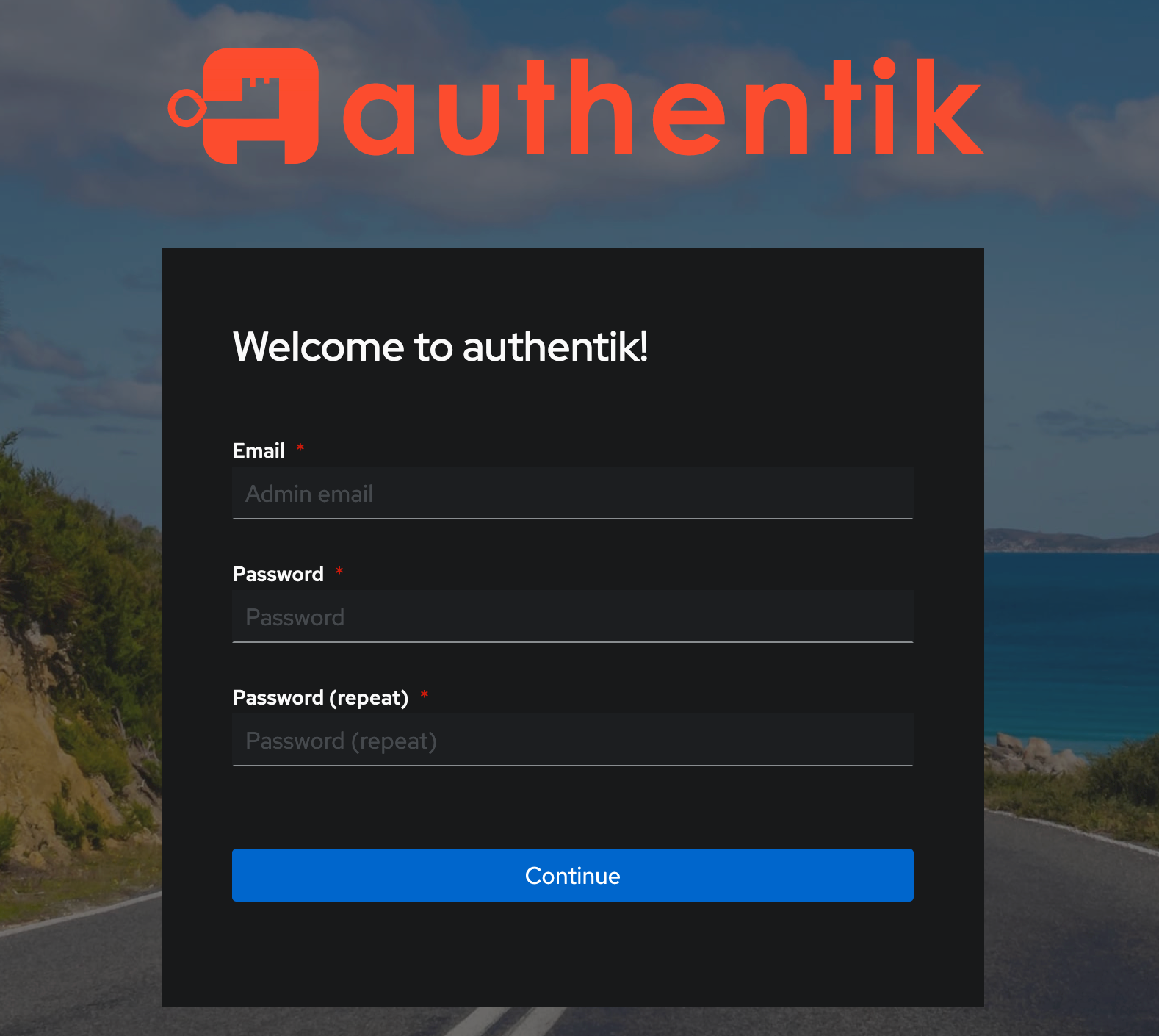
Tu devrais pouvoir accéder à l’interface web d’Authentik https://
À lire aussi
 security
Configurer le MFA avec Cisco DUO
Apprends à configurer le MFA Cisco DUO que tu pourras utiliser sur ton homelab pour sécuriser tes accès
 security
Sécurise ton serveur OpenSSH avec Cisco DUO
Apprends à sécuriser un serveur openssh en ajoutant le MFA Cisco DUO.